

Download Macrium Reflect – Free Disk Imaging, Secure Backup & Restore Tool
Overview
Macrium Reflect is a powerful, free disk‑imaging solution that lets Windows users create exact, byte‑for‑byte copies of their hard drives. Unlike traditional file‑level backups, a disk image captures the entire system – operating system, applications, settings, and personal data – in a single, compressed file that can be restored to bring a dead machine back to life in minutes. The software guides you through a step‑by‑step wizard, making the creation of a mirror image as simple as clicking “Next.” For users who need more granular control, the full version adds encryption, individual file backup, and advanced scheduling options.
Although the rescue media creator currently supports only legacy platforms such as Windows XP and Windows Server 2003, the core imaging engine works flawlessly on modern Windows 7, 8, 10, and 11 installations. By storing images on an external USB drive, network share, or NAS, you protect yourself from the dreaded scenario of a corrupted system drive with no way to recover. Macrium Reflect’s free tier stands out in a crowded market because it delivers enterprise‑grade reliability without a subscription fee, while still offering a clear upgrade path for power users who want features like incremental imaging, ransomware protection, and rapid delta restores.
Whether you’re a home user safeguarding family photos or an IT professional needing to clone multiple workstations, Macrium Reflect provides a secure, easy‑to‑use, and highly trusted method for preserving the exact state of your computer.
Key Features
- Exact Disk Imaging: Creates a perfect mirror of the entire hard drive, including the OS, applications, and hidden system files.
- Incremental & Differential Backups: Saves only changes made since the last backup, reducing storage space and speeding up subsequent runs.
- AES‑256 Encryption: Protects backup files with strong encryption and password protection to keep sensitive data safe.
- File‑Level Backup: Allows you to select individual files or folders for backup, giving you faster, more flexible options when you don’t need a full image.
- Rescue Media Builder: Generates bootable USB or ISO images for disaster recovery (supports Windows XP, Windows Server 2003, and Linux environments).
- Scheduled Backups via XML Templates: Advanced users can automate backup jobs with customizable XML schedules.
- Rapid Delta Restore (RDR): Restores only changed blocks, dramatically decreasing recovery time after an incremental backup.
- Support for Large Disks: Handles drives larger than 3 TB without the progress‑bar error that plagued earlier versions.
- Network and Cloud Storage Options: Save images directly to SMB shares, FTP servers, or compatible cloud services.
- Free Version Available: Provides full imaging capabilities without a license fee, making it ideal for home users and small businesses.
Installation & Usage Instructions
Getting started with Macrium Reflect is straightforward. Follow these steps to download, install, and create your first disk image:
- Download the Installer: Visit the official Macrium website, click the “Download Free Edition” button, and save the
MacriumReflectFree.exefile to your computer. - Run the Installer: Double‑click the executable. The installer will prompt for administrator rights; accept them to proceed. Choose the default installation folder (C:\Program Files\Macrium\Reflect) unless you have a specific preference.
- Select Components: For most users, the default component set – Core Engine, Imaging Tools, and Rescue Media Builder – is sufficient. Uncheck optional add‑ons if you want a slimmer install.
- Complete Installation: Click “Install” and wait a few moments while files are copied. When finished, launch Macrium Reflect from the Start menu or desktop shortcut.
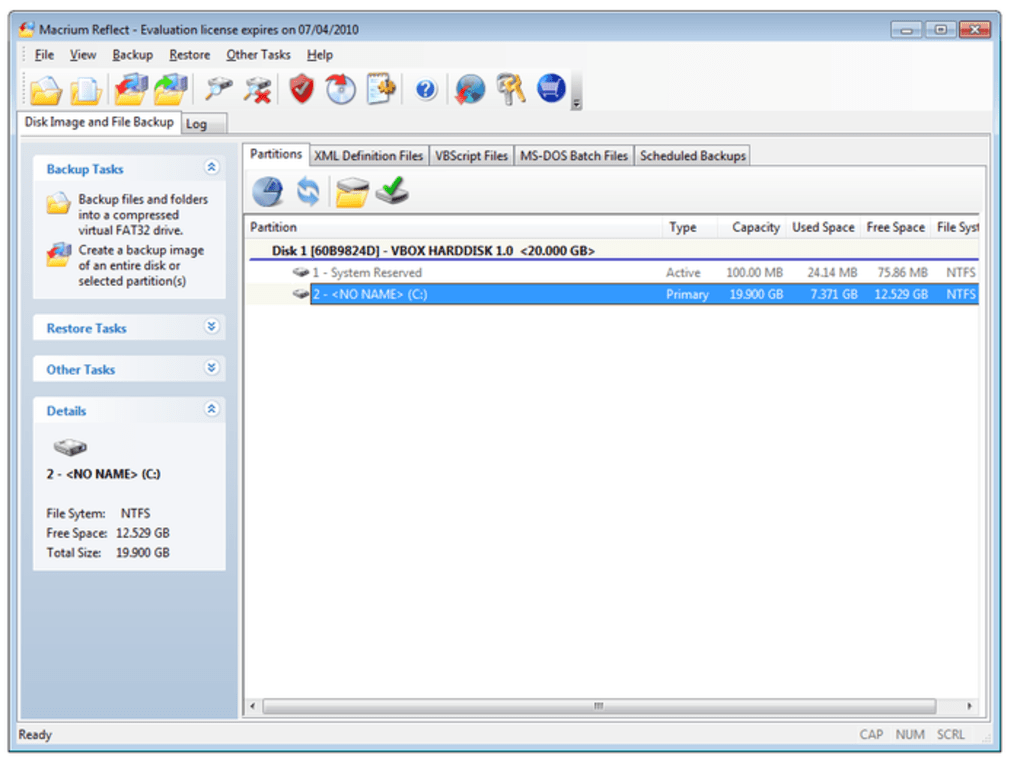
- Create Your First Image: The main window displays all detected disks and partitions. Click the check‑box next to the drive you wish to image, then click “Image this disk.”
- Follow the Wizard: The Image Wizard will guide you through destination selection (external USB drive, network share, or another internal drive), compression level, and whether to enable encryption. Set a strong password if you enable encryption.
- Start the Imaging Process: Review the summary screen, then click “Finish.” Macrium Reflect will begin copying sectors, showing a progress bar and estimated time remaining. Larger drives may take several hours, but the software can be left to run overnight.
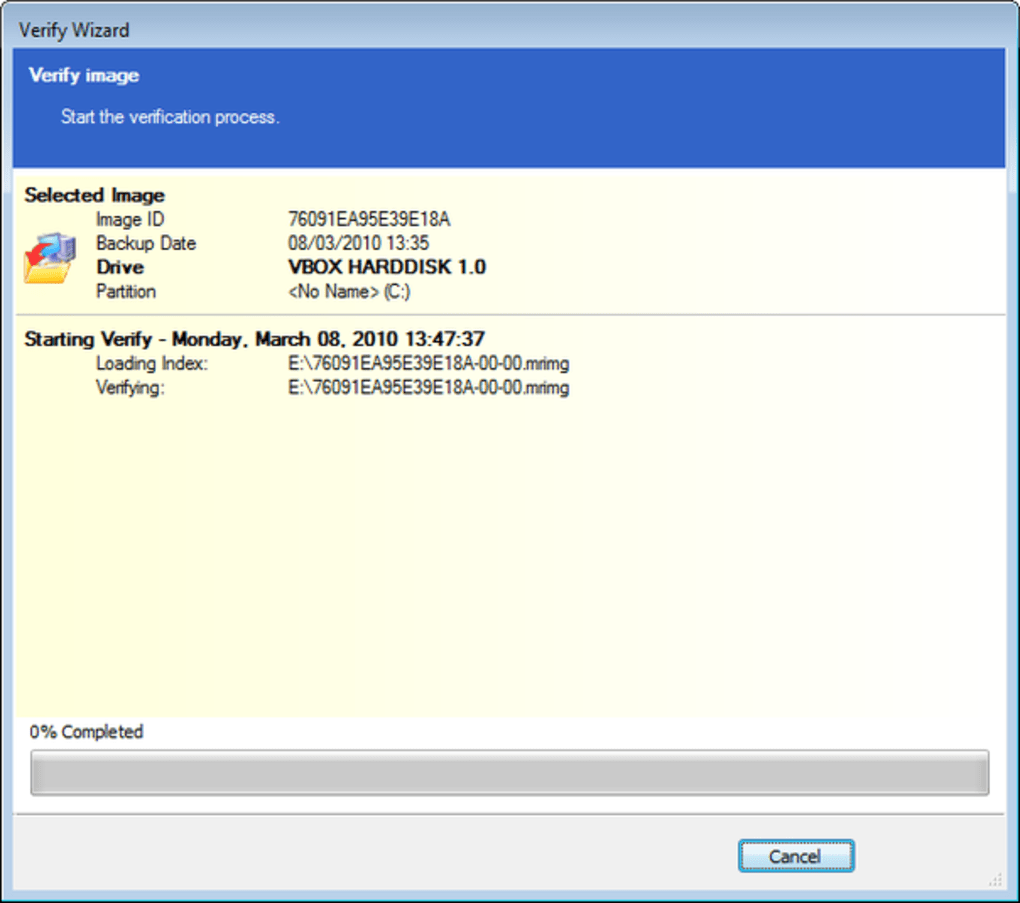
- Verify the Backup (Optional): After completion, you can click “Verify Image” to ensure the file is not corrupted.
- Create a Rescue Media (Recommended): Go to the “Other Tasks” menu and select “Create Rescue Media.” Choose a USB flash drive, follow the prompts, and you’ll have a bootable environment to restore images even when Windows won’t start.
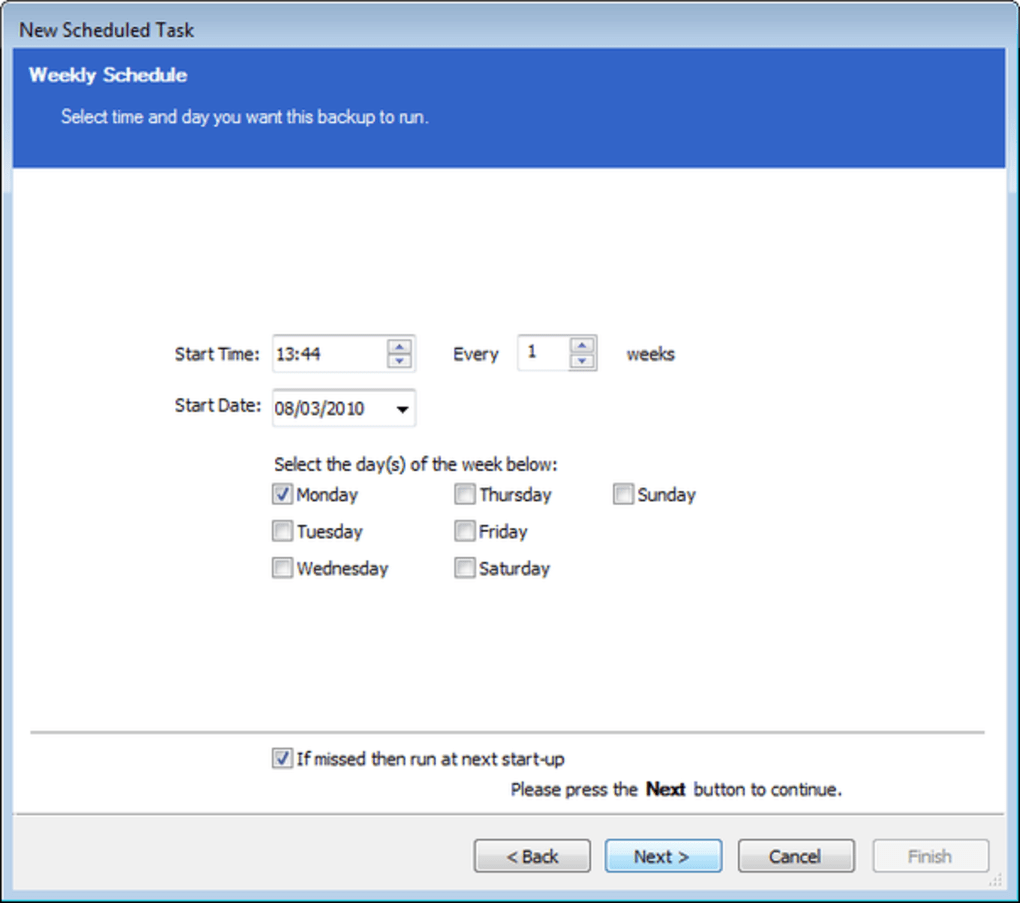
For users who need scheduled backups, navigate to “Backup Plans” and import an XML template or create a new plan using the built‑in scheduler. Although the XML interface can appear technical, the community provides ready‑made templates that you can download and adjust with a simple text editor. Remember to store your backup images on a different physical drive than the source to avoid simultaneous failure.
Compatibility, Pros & Cons
Macrium Reflect is designed for Windows operating systems, supporting Windows 7, Windows 8/8.1, Windows 10, and Windows 11 (both 32‑bit and 64‑bit). While the core imaging engine works exclusively on Windows, the rescue media can boot into a minimal Linux environment for recovery on any hardware that supports USB boot.
Pros
- Free edition provides full disk imaging without hidden fees.
- Highly reliable, industry‑proven technology used by IT professionals.
- Supports large disks (>3 TB) and modern file systems (NTFS, ReFS).
- Encryption and password protection keep backups secure.
- Incremental and differential backups reduce storage costs.
- Rescue media creation enables recovery even when Windows fails to start.
- Extensive documentation, active forums, and video tutorials.
Cons
- Scheduled backup configuration relies on XML files, which can be intimidating for beginners.
- Rescue media currently supports only legacy Windows versions (XP, Server 2003) and a basic Linux environment.
- No native macOS, Android, or iOS client – limited to Windows platforms.
- Advanced features like Rapid Delta Restore require the paid “Home” or “Workstation” editions.
- Initial full‑disk imaging of very large drives may take considerable time and disk space.
FAQ & Conclusion
Can I use Macrium Reflect on a Mac computer?
No. Macrium Reflect is a Windows‑only application. Mac users can run it via Boot Camp or a virtual machine, but there is no native macOS version.
Is the free edition sufficient for personal backups?
Absolutely. The free edition provides full disk imaging, compression, and basic encryption, which is more than enough for home users who need a reliable restore point.
How often should I create a new disk image?
It depends on how frequently your data changes. A common practice is to create a full image monthly and supplement it with weekly incremental backups.
Can I restore a single file from a disk image?
Yes. Macrium Reflect lets you mount an image as a virtual drive, allowing you to browse and copy individual files without restoring the entire disk.
What storage media works best for saving images?
External USB‑3.0 SSDs or high‑capacity HDDs provide fast transfer rates and reliable longevity. For enterprise environments, a NAS or network share is recommended.
In summary, Macrium Reflect stands out as one of the most dependable free disk imaging tools on the market. Its straightforward wizard, robust encryption, and support for large drives make it an excellent choice for anyone looking to protect their Windows PC from catastrophic failure. While the scheduling interface may require a brief learning curve and rescue media support is limited to older platforms, the core functionality delivers peace of mind without a price tag. If you haven’t yet secured a reliable backup strategy, now is the perfect time to download Macrium Reflect, create a mirror image of your system, and store it on an external drive. Doing so will ensure that a sudden hardware fault or software glitch won’t mean the loss of precious files or countless hours of re‑installation work.
Download Macrium Reflect now and safeguard your data with a tool trusted by professionals worldwide.
Macrium Reflect provides a seamless blend of powerful disk imaging capabilities and a user‑friendly interface. The free edition is generous, and the optional paid upgrades unlock impressive features like rapid delta restore. Though the XML‑based scheduler can be daunting for beginners, the overall reliability and security of the product make it a top recommendation for Windows users seeking a trustworthy backup solution.







